


The parts of an answer, numbered: the steps line, the text with citations, a chart, a table with chips, the sources and the follow-up questions
While it works
A few short lines say what Blitzscan is doing, in plain words (“Finding $USDG’s holders”). When the answer is in, they fold into one line naming the last step; open it to see them all. An answer that needs research says so (“Researching: several steps, about 45 s”) and can take a minute or two.The text and its citations
Numbers in the text carry citations such as[1]. Hover or tap one to preview its source; click it to jump to that record under Evidence. Every address and transaction hash in the text links to its explorer page. Addresses are shortened in text (0x8366…0951); where Blitzscan knows a name, it says it first: “Uniswap v4 Pool Manager (0x8366…0951)”.
Charts
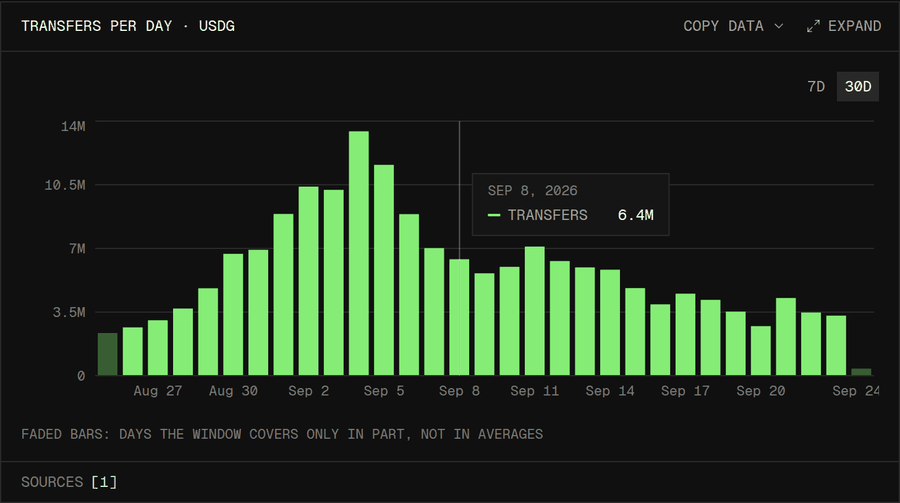
A daily bar chart of USDG transfers, with the partial first and last days faded
- Every period is shown. A day or hour with no activity is a zero bar, not a gap.
- Faded bars are partial. The first or last bar is faded when the window covers only part of that day or hour, such as today so far. Averages in the text leave faded bars out, and the note under the chart says so.
- Bars start at zero, so heights compare fairly.
- Stacked bars show parts of one total, for example contracts deployed directly and through factories.
- Range tabs (
1D 7D 30D 90D, andALLfor longer histories) zoom the same data; hover or tap a bar for its exact value. - Comparisons (“this week against last week”) use equal whole periods.
Tables
Tables list ranked rows: holders, senders, tokens, trades. Addresses show a name when Blitzscan knows one and a copy button; a wide table scrolls sideways. Rankings of wallets leave out system addresses (the zero address used for mints and burns, and the chain’s own system contracts), and profit rankings also leave out bridges and solvers, whose balances turn over with every fill. A footnote says so when it applies. Ask about one of those addresses directly to see it.Share of supply
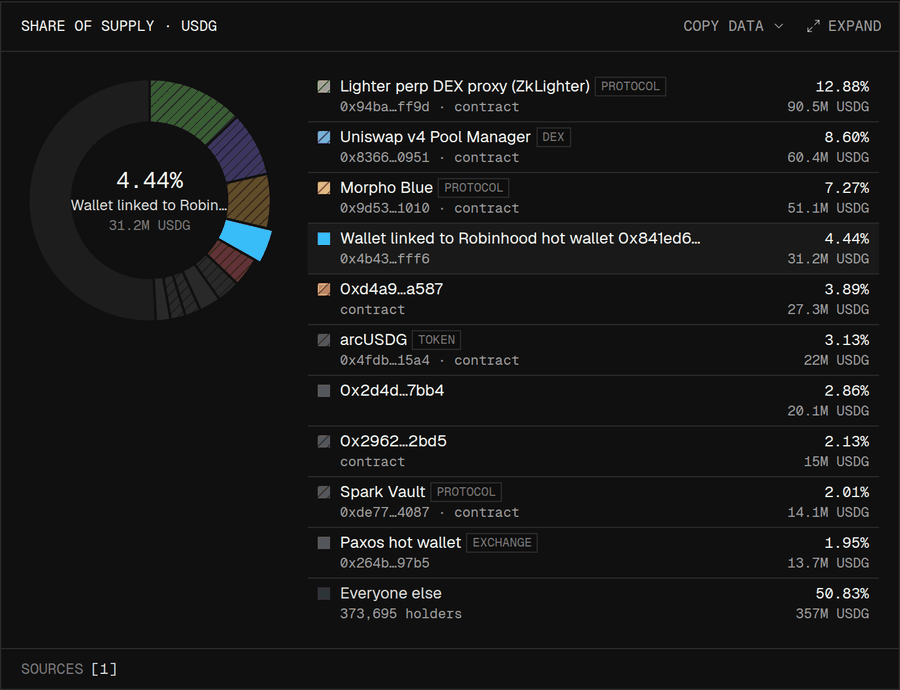
Share of supply for USDG: a donut of the top ten holders and everyone else
Chips on tokens and addresses
Small labels next to a name tell you what it is:
A token logo appears only for recognised tokens. Labels are Blitzscan’s best reading of public evidence; they do not prove who controls an address.
Links and evidence
Under the answer, Links shows where to go next, up to six cards: the Blitzscan page of a token or wallet, where a token trades (ranked by liquidity), its price chart, and the pages of contracts the answer names. A card that leaves Blitzscan has an arrow and opens in a new tab. Evidence lists the records the answer cites, numbered like the citations in the text. Each row says what it verifies, and a row with a link opens that record. Open Evidence to check a number.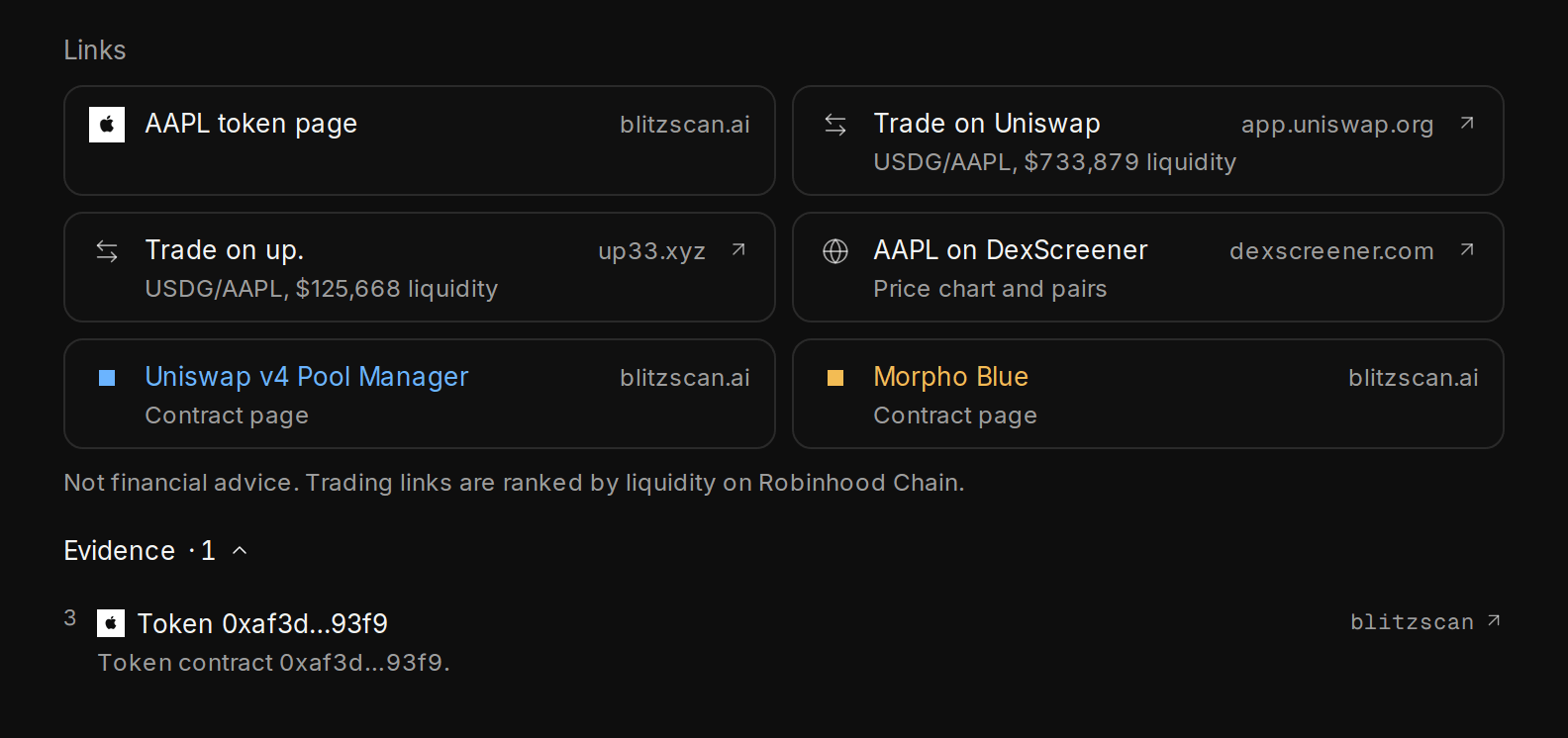
Links under an answer (the token page, where it trades, its price chart, contract pages) and the Evidence list with a numbered citation
Cards and flows
A token or wallet answer starts with a card: its counts, first and last block, and Open in Blitzscan and View on explorer links. Fund-flow answers draw a diagram of where money came from and went.Copy, share and rate
- Copy data on any chart or table copies it as CSV or JSON; Expand opens it larger with its sources.
- Copy under the answer copies the whole answer as Markdown: the text with its citations, every table, and the numbered sources with their links. Small icons beside it: regenerate (ask again, keeping earlier versions), thumbs up or down, and share (a read-only link; anyone with it can view the thread, and turning the link off stops it working).
- Ask next offers follow-up questions as chips; a tap asks one. The pencil beside your question asks an edited version as a new question in the same thread.
- A thumbs down asks why: wrong data, missing source, outdated, unclear or other. The team reads these.